Filtering tags allows you to narrow your list of customers by common qualities. Mix and match Customer Tags to create powerful filters and insightful worklists for you and your team.
How to Filter Customers Using Multiple Tags
Filtering by multiple tags is as simple as selecting tags from the dropdown of the Customer List.
After selecting the first tag, click back in the search bar to add another tag. For example, select the Past due tag and then the Has contacts tag to show customers that are past due and have contacts.
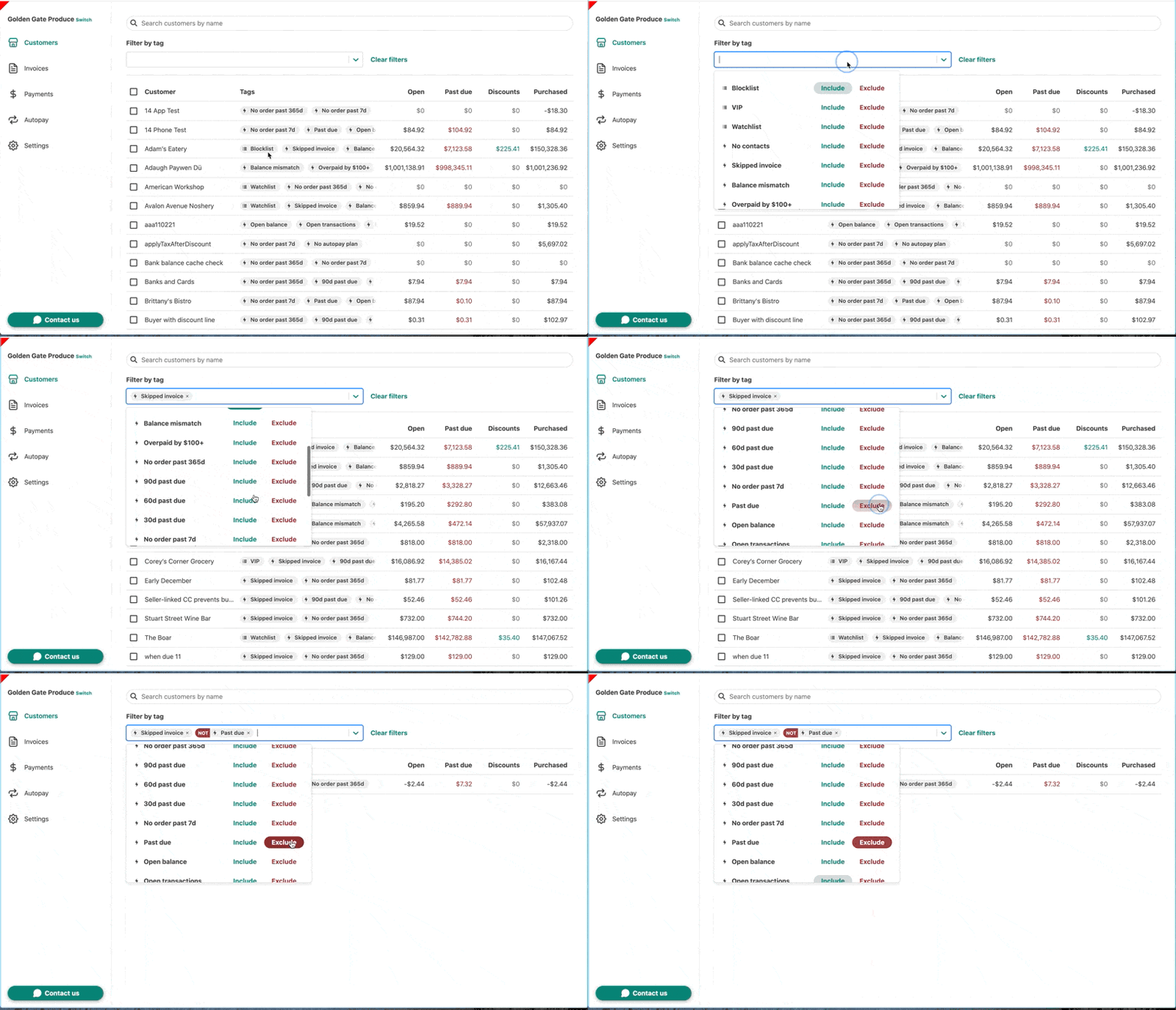
- Log in to Wholesail and select Customers from the left-hand side of the page to open the Customer List.
- Select the Filter by tag dropdown to open a list of available Customer Tags.
- Select Include to filter for customers that have the specific Customer Tag. Select Exclude to filter for customers that do not have the specific Customer Tag.
- Click Clear filters to clear your current filter.
Common Tag Combinations
There are many different reasons to use multiple tags to filter customers and plenty of different tag combinations you can use. We've identified a few tag combinations that you can use to find customers that need your attention.
| Tags | Criteria | Description |
|
|
Include Ordered past 365d Exclude Ordered past 7d |
Customers that have ordered in the past year, but not in the past week. |
|
|
Exclude Wholesail payment Exclude Blocklist |
Customers that are receiving statements, but have not paid online yet. |
|
|
Include Skipped invoice Exclude Past due |
Customers that have skipped an invoice, but do not have a past due balance. |
|
|
Include 90d past due Exclude Has contacts |
Customers with a 90 day past due balance, but are not receiving statements because Wholesail does not have their contact information. |
|
|
Include 30d past due Exclude Autopay |
Customers that have a 30 day past due balance, but are not on autopay. |
|
|
Include Ordered past 7d Include 90d past due |
Customers that have ordered recently, but have a 90 day past due balance. |
|
|
Include Autopay Include Past due |
Customers that are enrolled in autopay, but have a past due balance. |













